架构
| 主机名 | IP | 角色 |
|---|---|---|
| expr01 | 192.168.139.31 | master,minion |
| expr02 | 192.168.139.32 | minion |
| expr03 | 192.168.139.33 | minion |
配置源
`下载管理端`
[root@expr01 ~]# yum -y install epel-release
[root@expr01 ~]# rpm --import https://repo.saltproject.io/py3/redhat/7/x86_64/latest/SALTSTACK-GPG-KEY.pub
[root@expr01 ~]# curl -fsSL https://repo.saltproject.io/py3/redhat/7/x86_64/latest.repo | sudo tee /etc/yum.repos.d/salt.repo
下载salt-master/salt-minion
[root@expr01 ~]# yum -y install salt-master salt-minion.noarch
[root@expr02 ~]# yum -y install salt-minion
[root@expr03 ~]# yum -y install salt-minion
启动salt-master
[root@expr01 ~]# systemctl enable --now salt-master.service
修改所有主机的配置文件
-
三台都要修改
[root@expr01 ~]# cd /etc/salt/
[root@expr01 salt]# vim minion
# 将master指向expr01的IP,因为expr01做为的管理端
master: 192.168.139.31
[root@expr02 ~]# cd /etc/salt/
[root@expr02 salt]# vim minion
# 将master指向expr01的IP,因为expr01做为的管理端
master: 192.168.139.31
[root@expr02 ~]# cd /etc/salt/
[root@expr02 salt]# vim minion
# 将master指向expr01的IP,因为expr01做为的管理端
master: 192.168.139.31
启动所有的minion
[root@expr01 ~]# systemctl enable --now salt-minion.service
[root@expr02 ~]# systemctl enable --now salt-minion.service
[root@expr03 ~]# systemctl enable --now salt-minion.service
注意形成集群以后需要保证主机名不变。
# 这个文件记录着本主机的信息 [root@expr03 salt]# ll /etc/salt/minion_id -rw-r--r-- 1 root root 6 Jan 4 16:13 /etc/salt/minion_id #####################为什么这里记录着本主机名信息呢!################# [root@expr03 salt]# vim minion "在108行有说,如果不配置 id: 那么自动获取hostname的socket.getfqdn()" 107 # Explicitly declare the id for this minion to use, if left commented the id 108 # will be the hostname as returned by the python call: socket.getfqdn() 109 # Since salt uses detached ids it is possible to run multiple minions on the 110 # same machine but with different ids, this can be useful for salt compute 111 # clusters. 112 #id:
注意:为什么minion和master可以通信:因为minion把公钥给了master
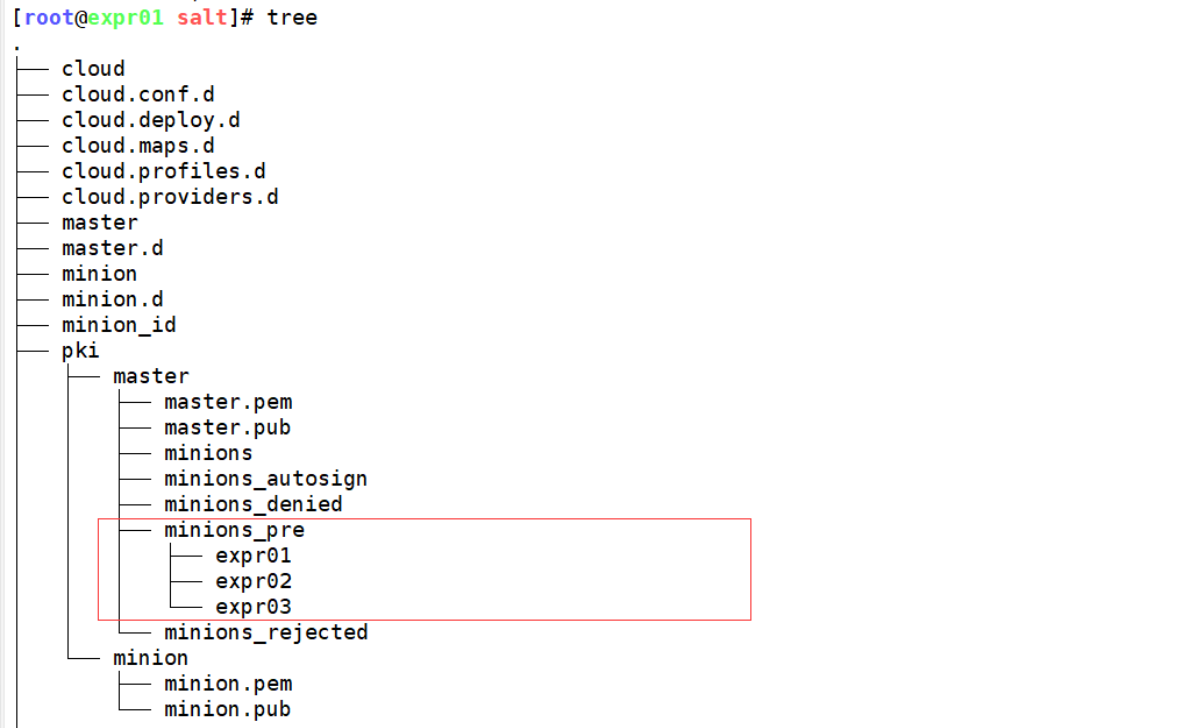
master认证公钥(将公钥给到minion)
# -a 指定认证的主机可以支持通配符
[root@expr01 ~]# salt-key -a expr*
The following keys are going to be accepted:
Unaccepted Keys:
expr01
expr02
expr03
Proceed? [n/Y] y
Key for minion expr01 accepted.
Key for minion expr02 accepted.
Key for minion expr03 accepted.
-
接下来可以看到minion多了master的公钥
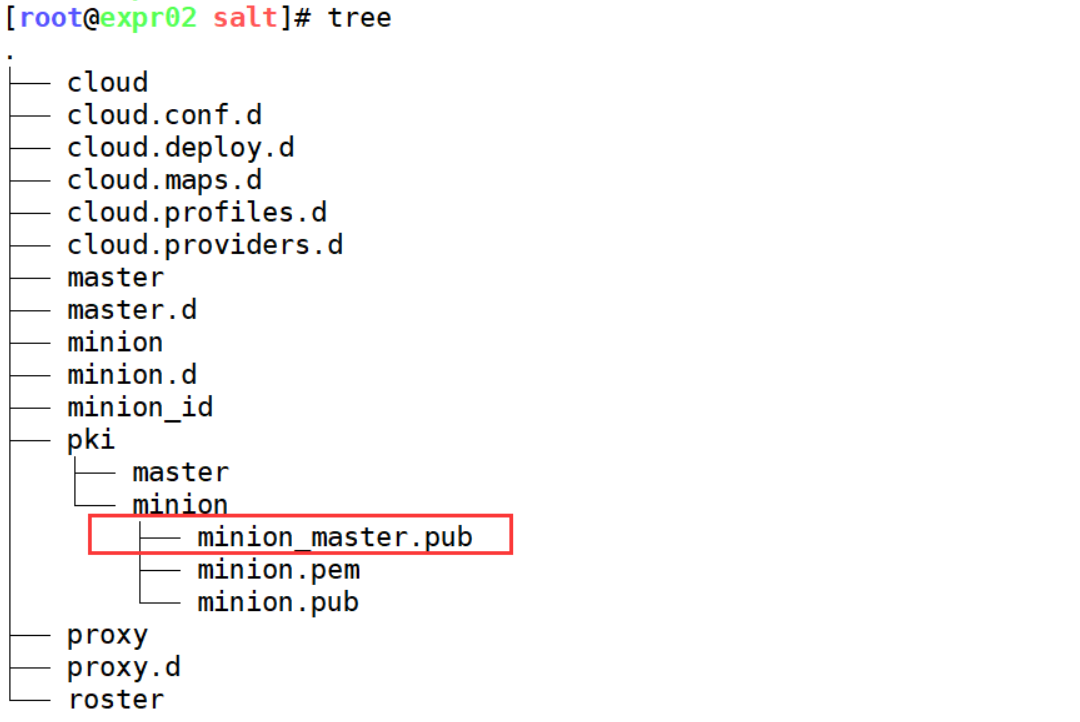
测试通信
[root@expr01 ~]# salt '*' test.ping
expr01:
    True
expr02:
    True
expr03:
    True

文章评论