二进制包部署
官方文档
https://www.elastic.co/guide/en/elasticsearch/reference/master/targz.html
下载二进制文件
https://www.elastic.co/cn/downloads/elasticsearch
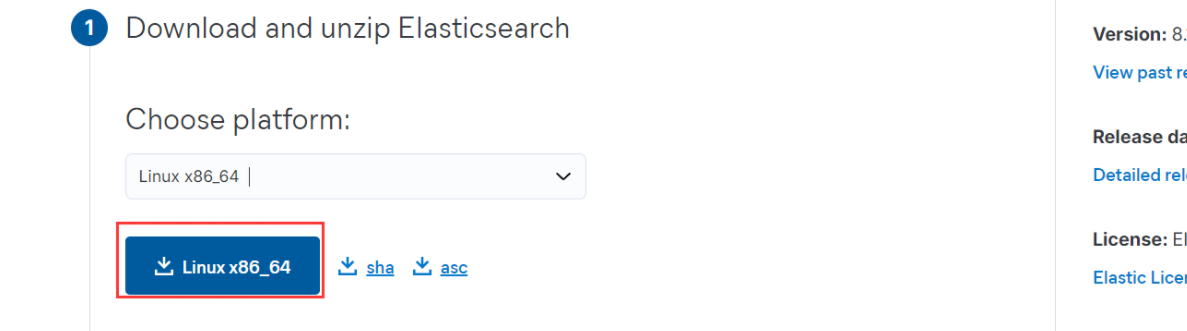
下载解压
 root@ubuntu-2204:~# hostnamectl set-hostname es-single && bash
 root@es-single:~# wget https://artifacts.elastic.co/downloads/elasticsearch/elasticsearch-8.13.1-linux-x86_64.tar.gz
 root@es-single:~# tar xf elasticsearch-8.13.1-linux-x86_64.tar.gz -C /usr/local/
修改配置
root@es-single:~# ln -sv /usr/local/elasticsearch-8.13.1 /usr/local/elasticsearch
root@es-single:~# grep -v '#' /usr/local/elasticsearch/config/elasticsearch.yml
path.data: /data/es-data
path.logs: /data/es-logs
network.host: 192.168.139.241
http.port: 9200
xpack.security.enabled: false
xpack.security.enrollment.enabled: true
xpack.security.http.ssl:
enabled: true
keystore.path: certs/http.p12
xpack.security.transport.ssl:
enabled: true
verification_mode: certificate
keystore.path: certs/transport.p12
truststore.path: certs/transport.p12
cluster.initial_master_nodes: ["es-single"]
修改内存配
root@es-single:~# echo 'vm.max_map_count=262144' >> /etc/sysctl.conf
root@es-single:~# sysctl -p
root@es-single:~# vim /usr/local/elasticsearch/config/jvm.options
 ...
 ## -Xms4g
 -Xms128m
 ## -Xmx4g
 -Xmx128m
 ...
创建用户
从es7.X以后版不允许以root启动服务,需要委创建专用的用户
root@es-single:~# useradd -r elasticsearch
目录权限更改
 root@es-single:~# mkdir -p /data/es-{data,logs}
 root@es-single:~# chown -R elasticsearch.elasticsearch /data/
 root@es-single:~# chown -R elasticsearch.elasticsearch /usr/local/elasticsearch/
启动 Elasticsearch服务
 root@es-single:~# echo 'PATH=/usr/local/elasticsearch/bin:$PATH' > /etc/profile.d/elasticsearch.sh
 root@es-single:~# . /etc/profile.d/elasticsearch.sh
 #不能以root用户运行,切换用户
 root@es-single:~# su - elasticsearch
 $ elasticsearch
验证服务
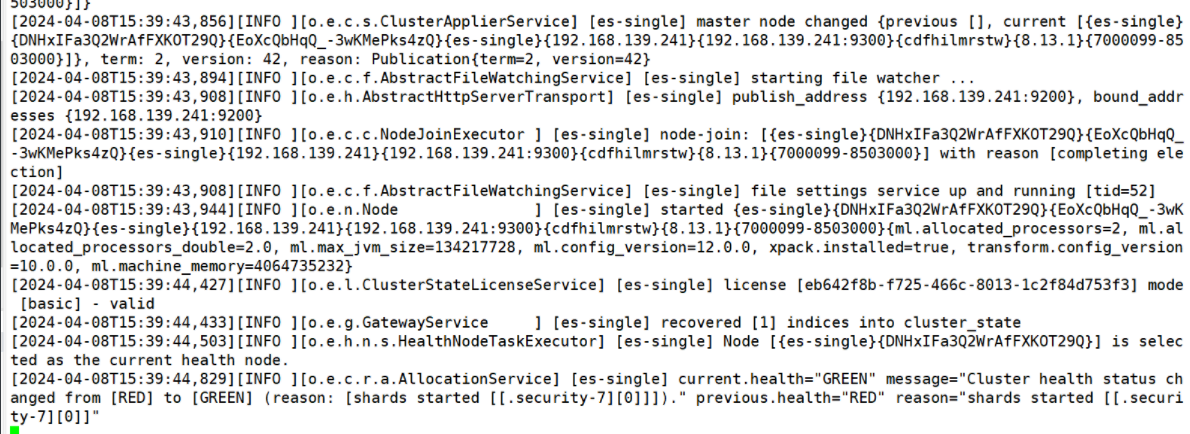
root@es-single:~# curl 192.168.139.241:9200
{
"name" : "es-single",
"cluster_name" : "elasticsearch",
"cluster_uuid" : "t_n9Lvl0SVuqyS4jtopGng",
"version" : {
"number" : "8.13.1",
"build_flavor" : "default",
"build_type" : "tar",
"build_hash" : "9287f29bba5e270bd51d557b8daccb7d118ba247",
"build_date" : "2024-03-29T10:05:29.787251984Z",
"build_snapshot" : false,
"lucene_version" : "9.10.0",
"minimum_wire_compatibility_version" : "7.17.0",
"minimum_index_compatibility_version" : "7.0.0"
},
"tagline" : "You Know, for Search"
}
创建 service 文件
root@es-single:~# vim /lib/systemd/system/elasticsearch.service
[Unit]
Description=Elasticsearch
Documentation=http://www.elastic.co
Wants=network-online.target
After=network-online.target
[Service]
RuntimeDirectory=elasticsearch
PrivateTmp=true
Environment=PID_DIR=/var/run/elasticsearch
WorkingDirectory=/usr/local/elasticsearch
User=elasticsearch
Group=elasticsearch
ExecStart=/usr/local/elasticsearch/bin/elasticsearch -p ${PID_DIR}/elasticsearch.pid --quiet
# Specifies the maximum file descriptor number that can be opened by thisprocess
LimitNOFILE=65535
# Specifies the maximum number of processes
LimitNPROC=4096
# Specifies the maximum size of virtual memory
LimitAS=infinity
# Specifies the maximum file size
LimitFSIZE=infinity
# Disable timeout logic and wait until process is stopped
TimeoutStopSec=0
# SIGTERM signal is used to stop the Java process
KillSignal=SIGTERM
# Send the signal only to the JVM rather than its control group
KillMode=process
# Java process is never killed
SendSIGKILL=no
# When a JVM receives a SIGTERM signal it exits with code 143
SuccessExitStatus=143
[Install]
WantedBy=multi-user.target
root@es-single:~# systemctl daemon-reload
root@es-single:~# systemctl enable --now elasticsearch.service
Created symlink /etc/systemd/system/multi-user.target.wants/elasticsearch.service → /lib/systemd/system/elasticsearch.service.
root@es-single:~# systemctl status elasticsearch.service
root@es-single:~# curl 192.168.139.241:9200
{
"name" : "es-single",
"cluster_name" : "elasticsearch",
"cluster_uuid" : "t_n9Lvl0SVuqyS4jtopGng",
"version" : {
"number" : "8.13.1",
"build_flavor" : "default",
"build_type" : "tar",
"build_hash" : "9287f29bba5e270bd51d557b8daccb7d118ba247",
"build_date" : "2024-03-29T10:05:29.787251984Z",
"build_snapshot" : false,
"lucene_version" : "9.10.0",
"minimum_wire_compatibility_version" : "7.17.0",
"minimum_index_compatibility_version" : "7.0.0"
},
"tagline" : "You Know, for Search"
}

文章评论